The four people
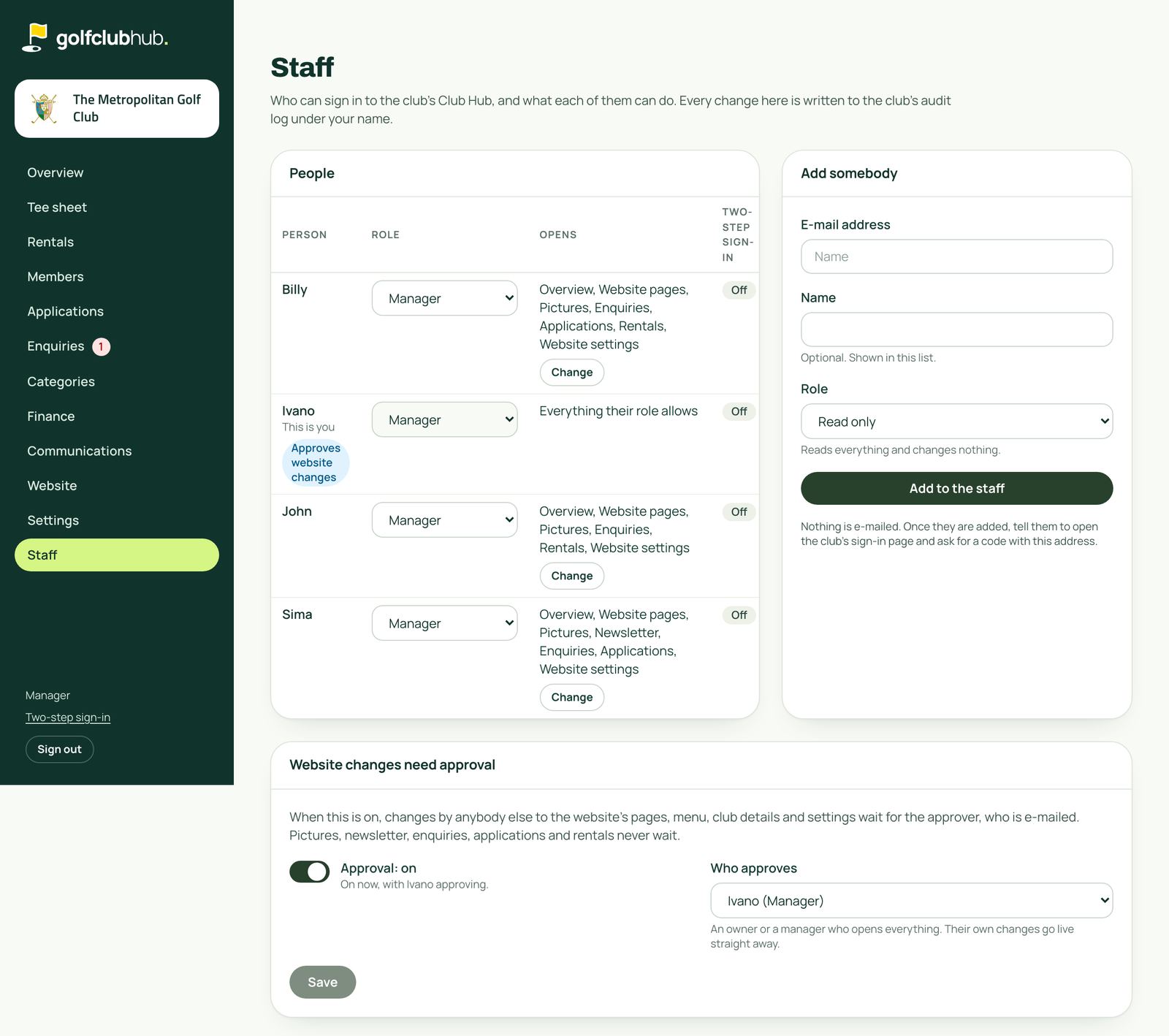
On top of their role, each person has a list of what they open. The club's owner or manager sets it on the Staff screen.
| Person | Opens | Also |
|---|---|---|
| Ivano | Everything | Approves website changes |
| Sima | Everything except Rentals | Sends the newsletter, works applications |
| Billy | Everything except the newsletter | Works applications |
| John | Website pages, Pictures, Enquiries, Rentals and Website settings | No newsletter, no applications |
Still to confirm: whether Sima and Billy open Rentals. This test copy gives Billy Rentals and not Sima. Either way it is one tick per person on the Staff screen.
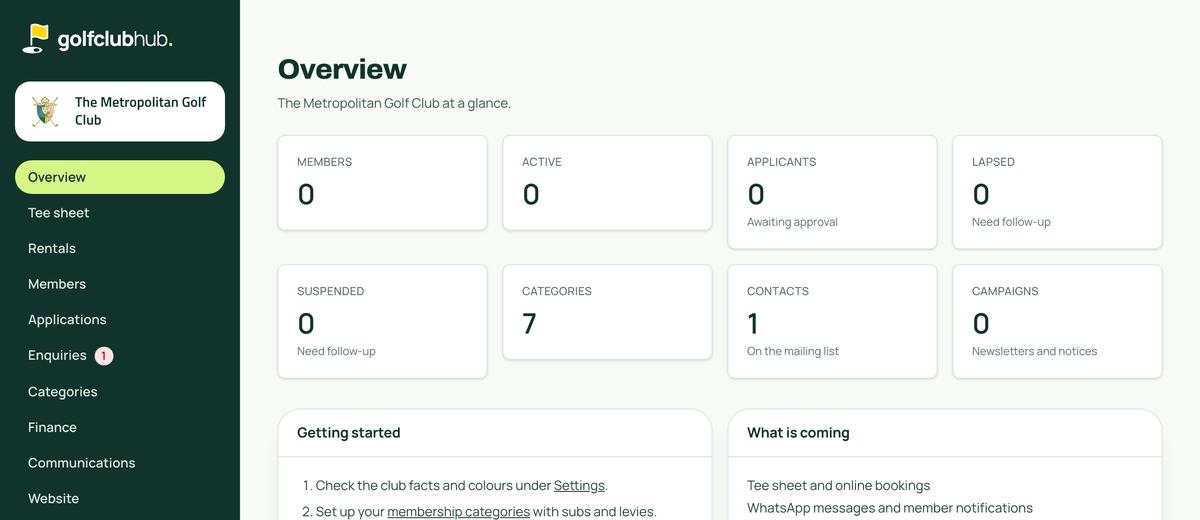
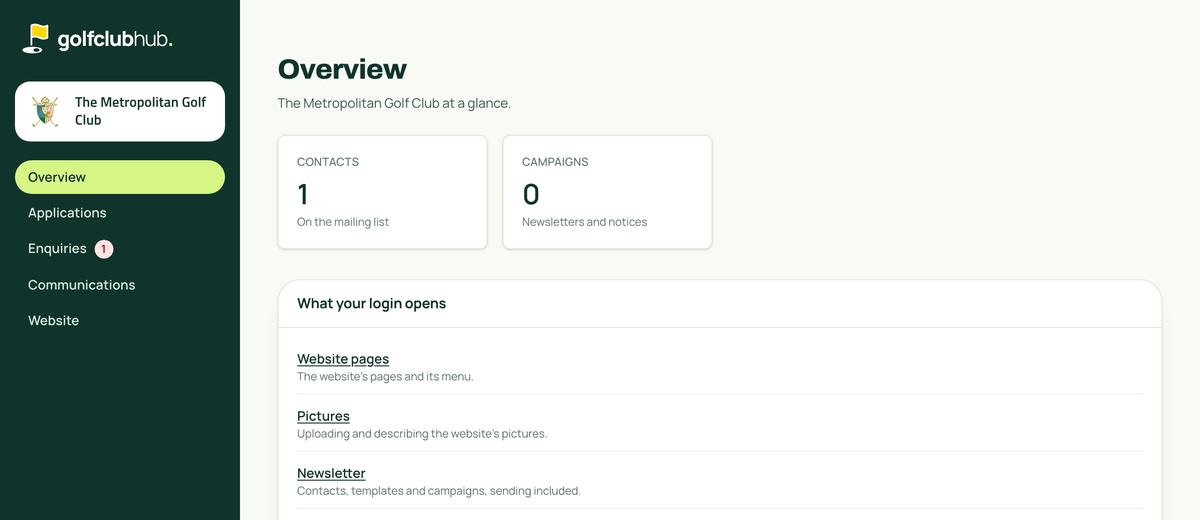
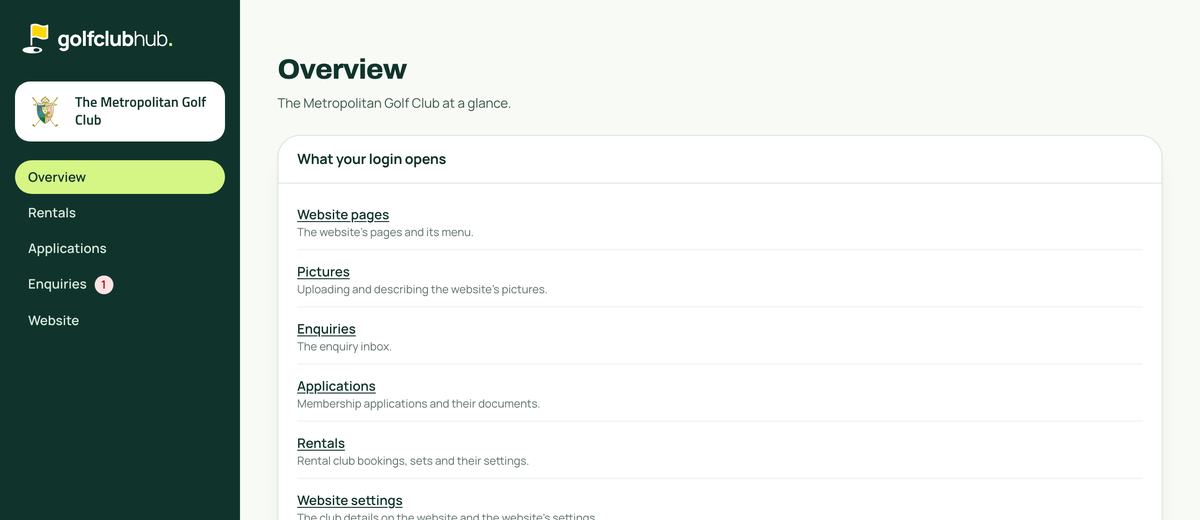
What each person sees
The menu shows only what a person opens. Communications is the newsletter.
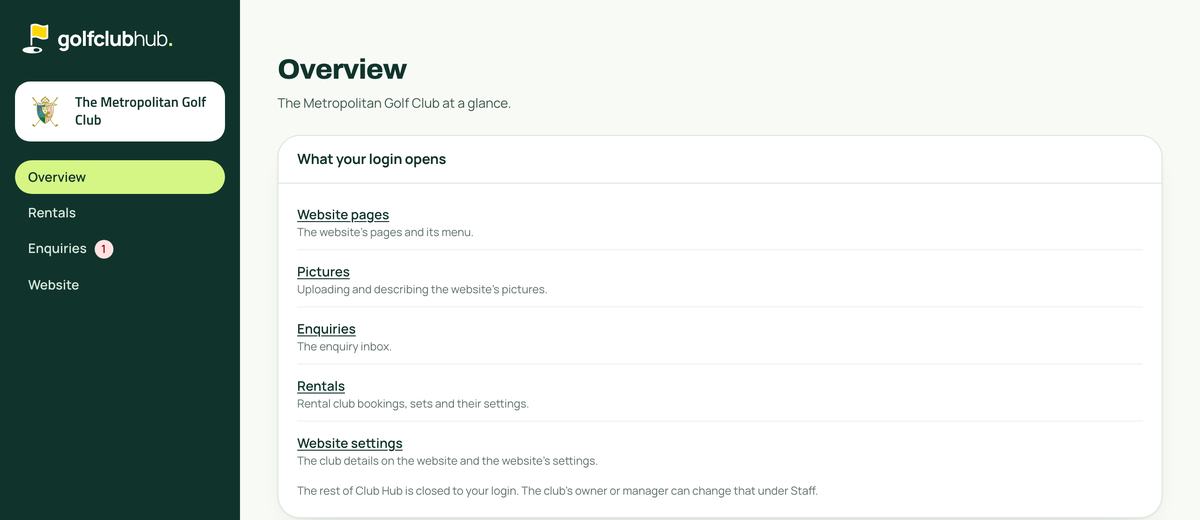
A website change waiting for Ivano
It is still waiting on the test copy, so this is exactly what Ivano would see.
-
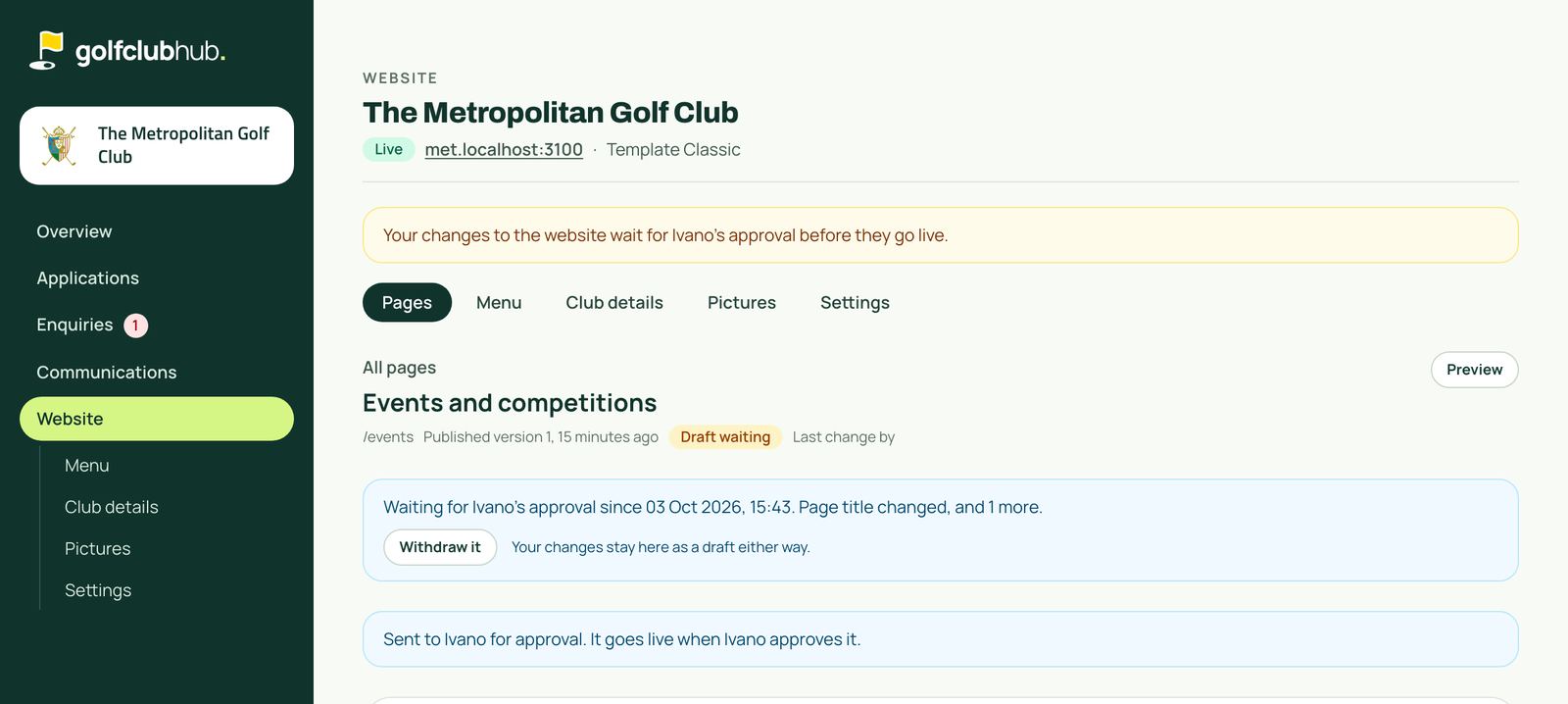
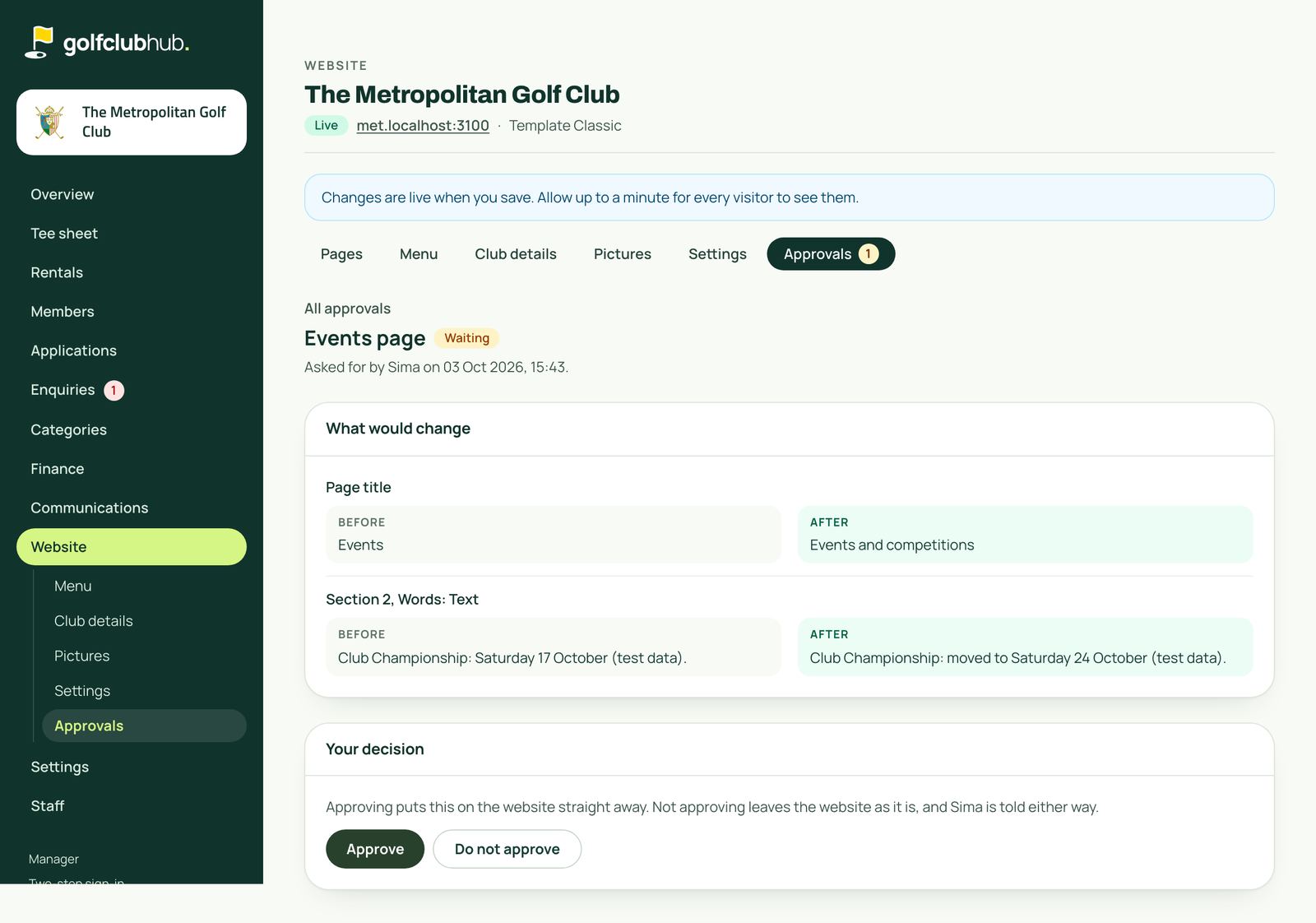
Sima changes the Events page and presses Save and send for approval.
A new title and a new date for the Club Championship. The website does not change: her work stays as a draft, and Club Hub tells her it went to Ivano.
-
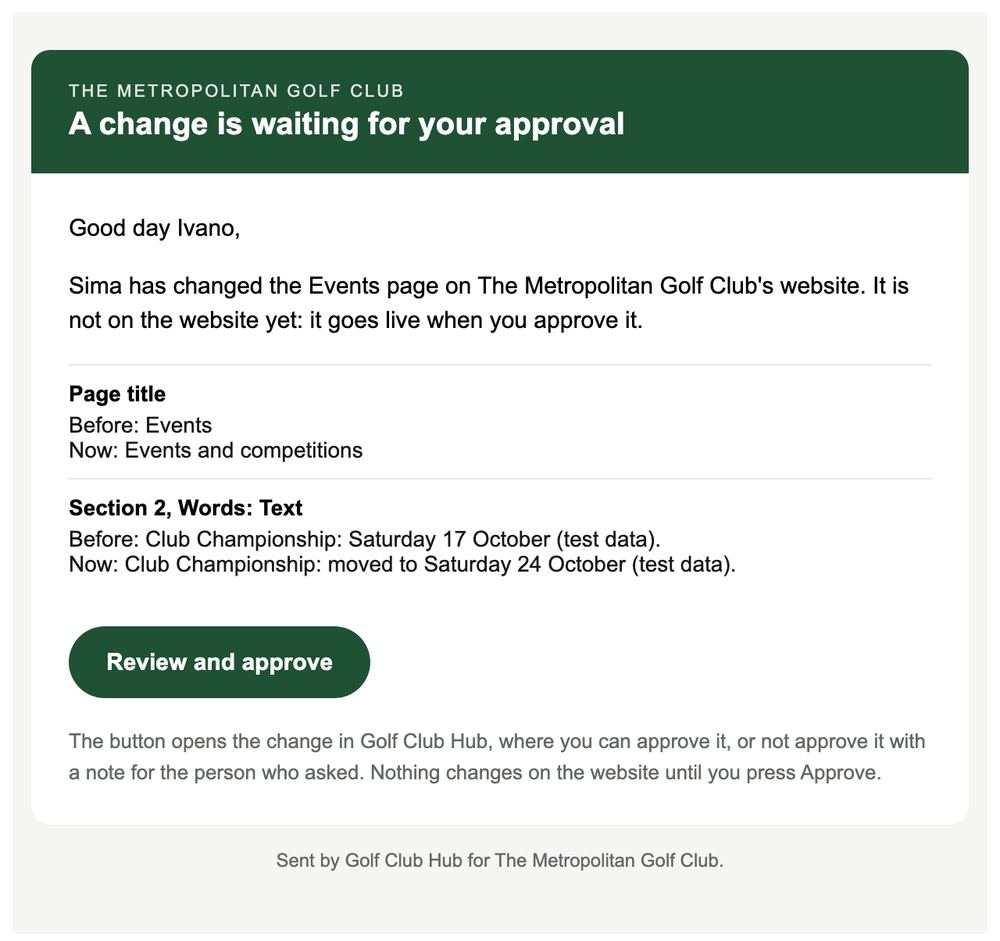
Ivano gets an email with what would change.
The button opens the change in Club Hub. On this test copy the email was kept in a folder instead of being sent.
-
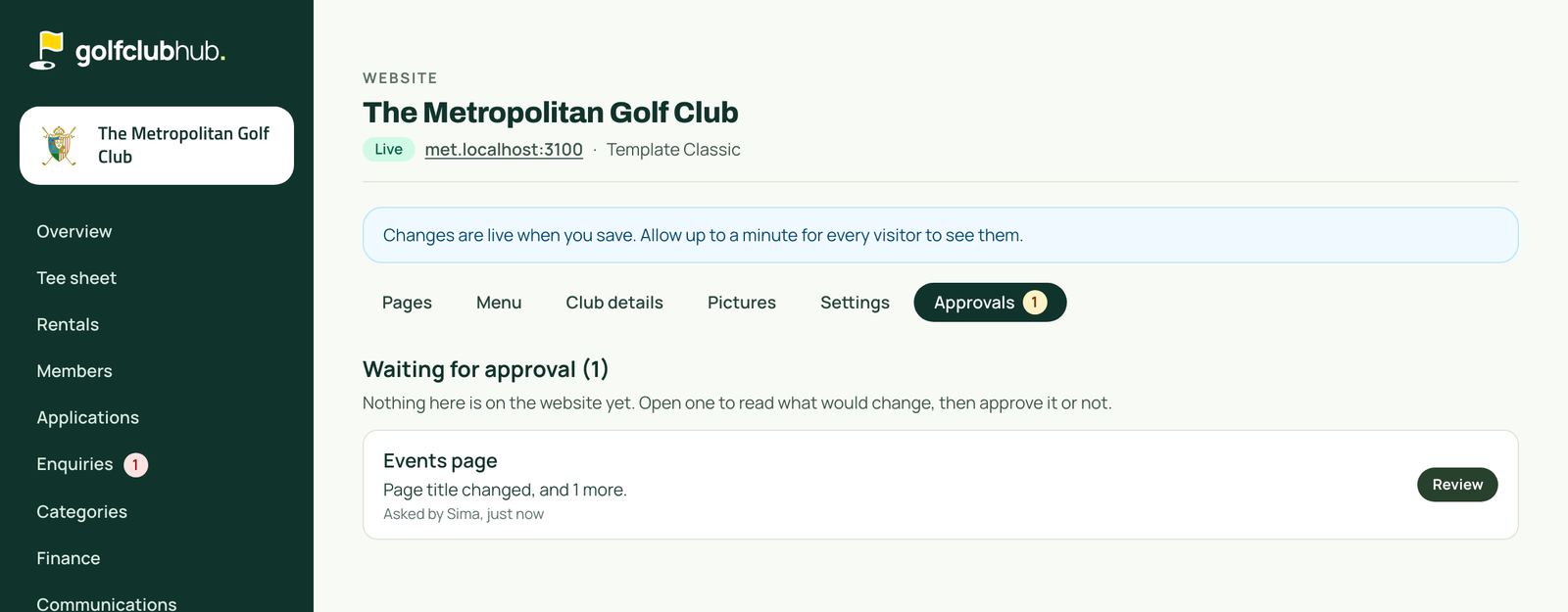
His Approvals list shows it waiting.
-
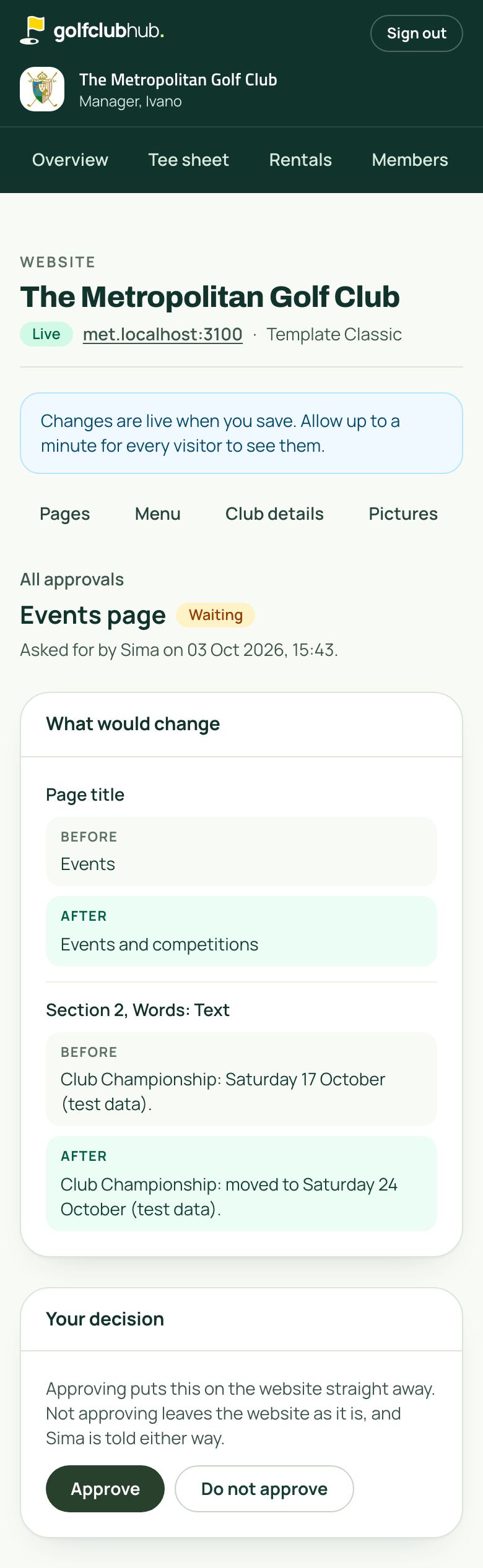
He reads the before and after, then approves it or not.
Approving puts it on the website straight away. Not approving leaves the website as it is, with an optional note for Sima. Sima is told either way.
What waits and what does not
Waits for Ivano
- Website pages
- The website's menu
- The club details on the website
- The website settings
- Deleting a page
Never waits, as on the Met's admin today
- Pictures
- The newsletter
- Enquiries
- Applications
- Rentals
Ivano's own changes go live straight away. If the person named to approve ever left the staff, website changes would be held, never published, until somebody else is named.
Locked, not only hidden
Each person's own login asked Club Hub's server and its database directly for each area. Checked at 15:44 on the test copy.
| Area | Ivano | Sima | Billy | John |
|---|---|---|---|---|
| Newsletter | Opens | Opens | Refused | Refused |
| Applications | Opens | Opens | Opens | Refused |
| Rentals | Opens | Refused | Opens | Opens |
| Enquiries | Opens | Opens | Opens | Opens |
Refused means the server said no and the database showed no rows. Nobody gains or loses anything until the owner or a manager narrows somebody, so the club's other logins are unchanged.